Enterprise Grid and developer sandboxes
Set up Tag in Enterprise Grid organizations and developer sandboxes.
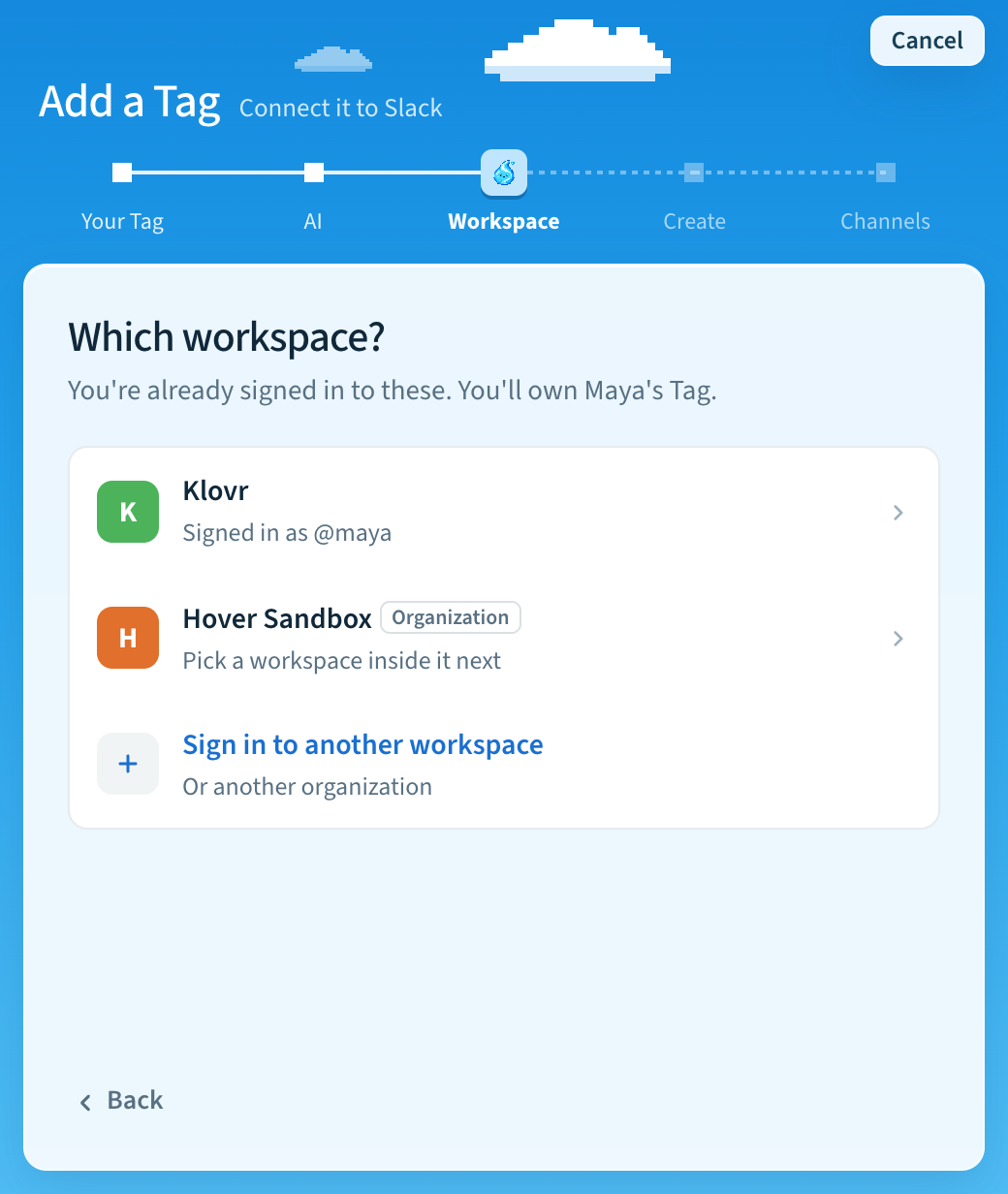
Does your company use Slack Enterprise Grid, or are you trying Tag in a Slack developer sandbox? Then you sign in to the whole organization, and pick one workspace inside it for your Tag. Each Tag works in that one workspace.
Set it up in the app
- In Add a Tag, go to the Workspace step.
- Choose the row marked Organization. If you don't see it, choose Sign in to another workspace and sign in to the organization.
- The app lists the organization's workspaces. Pick one.
- If yours isn't listed, choose Workspace not listed?. Enter the
workspace's address or its Team ID, which starts with
T, and choose Use it.
The recap then shows an Approval line, because an organization admin may need to approve the app. If they do, setup waits and picks up where it left off after approval. You don't need to sign in to Slack again.
Find the Team ID
Open the workspace in a browser. The address looks like
app.slack.com/client/T…. Copy the part that starts with T. Don't use the
organization ID, which starts with E; it isn't a workspace ID.
Set it up in the terminal
In tag setup (or tag add), select the organization sign-in, then enter the
workspace's address or Team ID. The terminal can't list an organization's
workspaces yet.
How it works
Tag creates or links the app through your organization authorization and requests
access to only the selected workspace. The E… organization ID is kept
separately from the workspace's Team ID. You do not need to repeat Slack
authorization. If Slack requires administrator approval, setup pauses there and
picks up where it left off after approval. The saved App ID prevents a retry from
creating another app. Tag preserves an existing app's grants and verifies that
they include the selected workspace. If access is missing, an organization admin
must add the app to that workspace before you retry.
Each Tag still responds in one workspace and retrieves only its approved channel memory. The managed memory server supports organization tokens with an explicit workspace; an externally managed MFS server needs equivalent workspace-aware Slack connector support. Existing workspace authorizations continue to work.
Last updated